

It is raised in a chat thread
Then it is scrolled past. Nobody can say how many are open right now, or which are late.
The Internal Issues Portal is Ushera AI’s issue recording and follow-up product for the inside of a company: issues raised between its own departments, not a customer-service desk. Every problem is raised, routed to the department that owns it, worked, closed, and signed off by a manager, in one place and in two languages.
Then it is scrolled past. Nobody can say how many are open right now, or which are late.
Everyone in the group is told, so it is nobody’s job. The customer chases; you look for who knew.
“Done”, says the person who did the work. No second pair of eyes, no record.
The same mistake repeats next month, and nothing anywhere says why the last one happened.
An issue is directed at a department, not thrown at a group. Its supervisor and manager hear about it, not forty people. The supervisor does the work or gives it to one of their staff.
The supervisor assigns; the manager verifies. The person who handed the work out cannot also sign it off: that would not be a second pair of eyes, and the portal does not allow it.
Redirect it onward with a written reason. The new department is told, the issue leaves the old queue, and the trail keeps both.
Raise a sub-issue to the other department. The parent cannot be finished until their part is done.
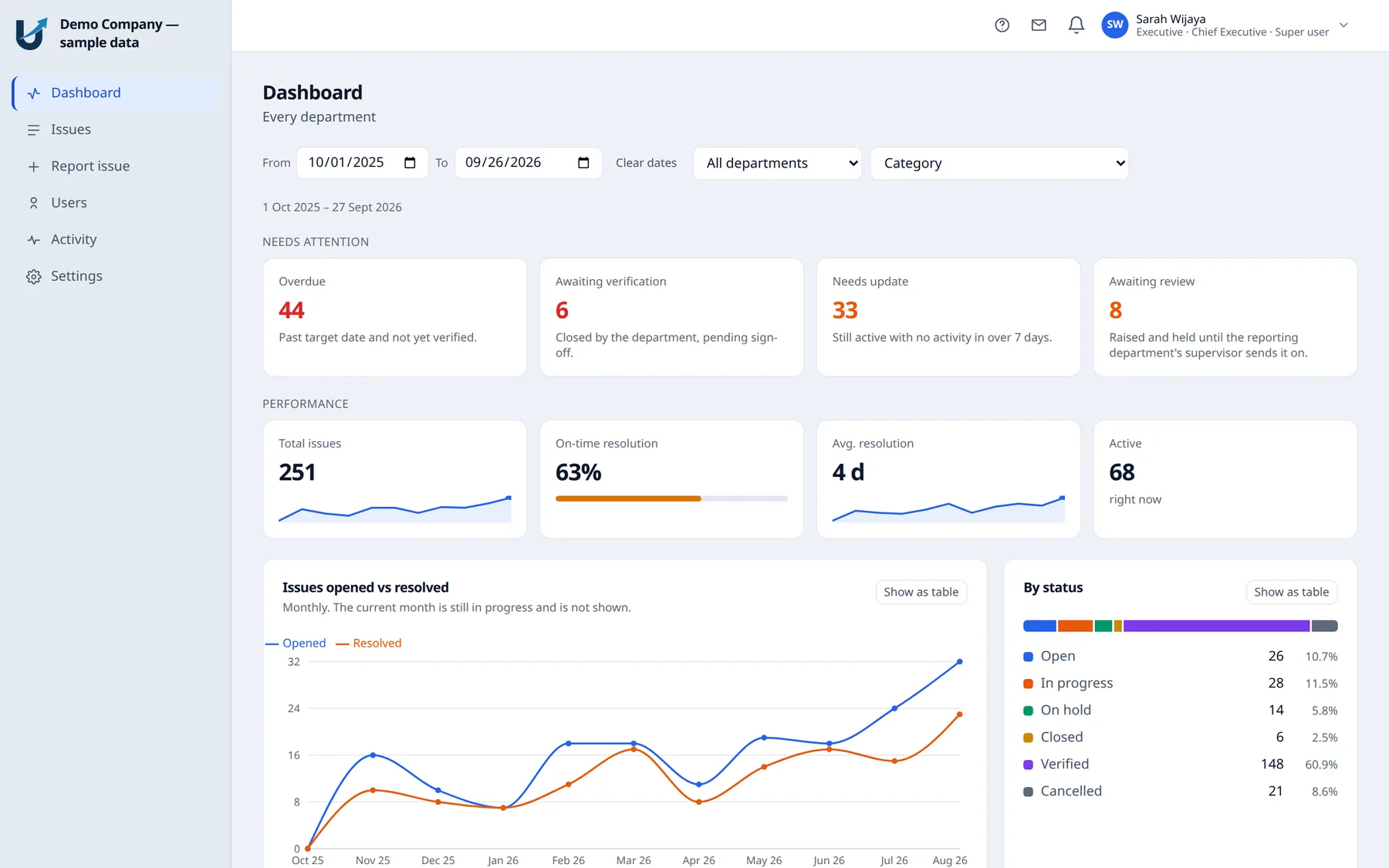
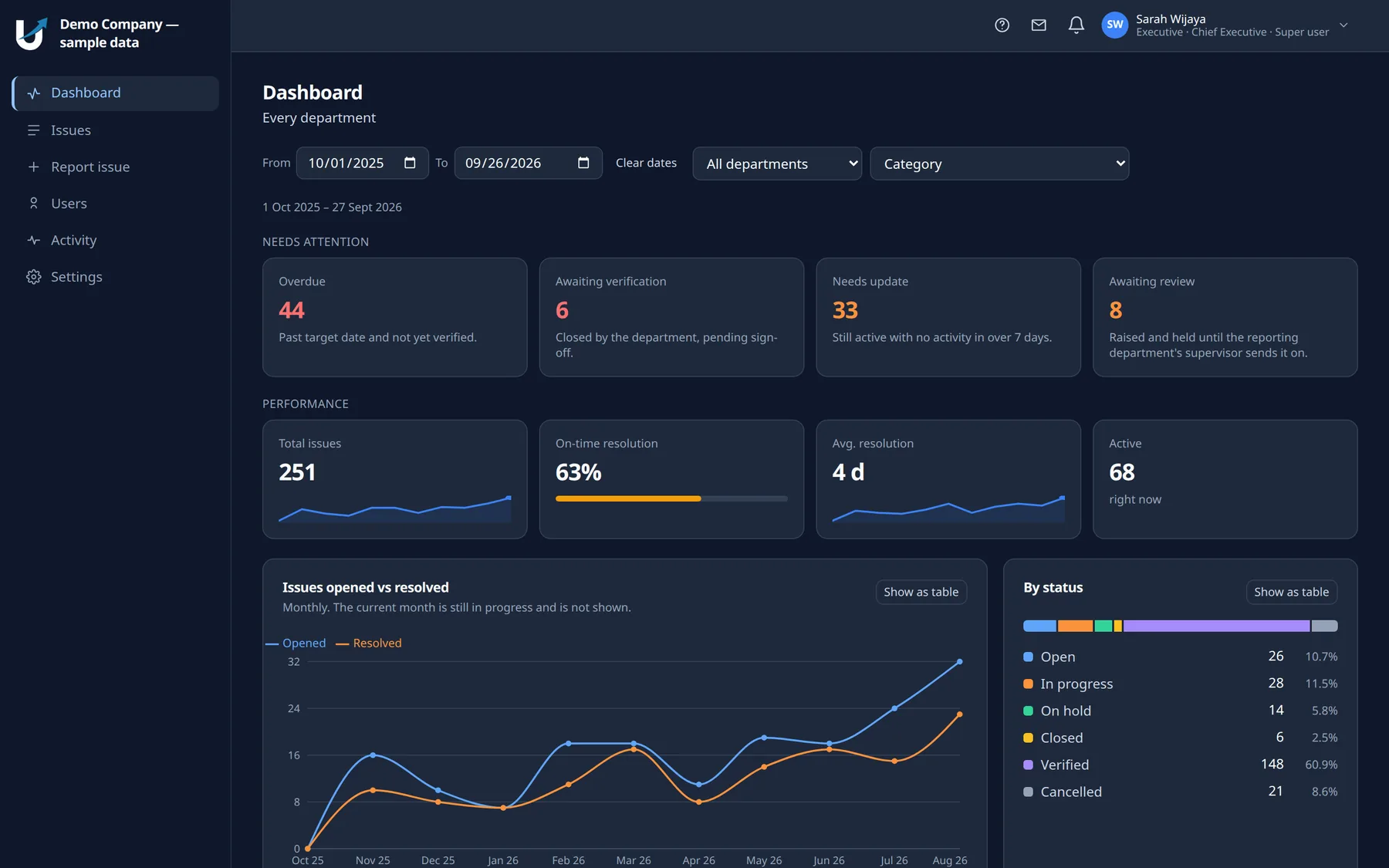
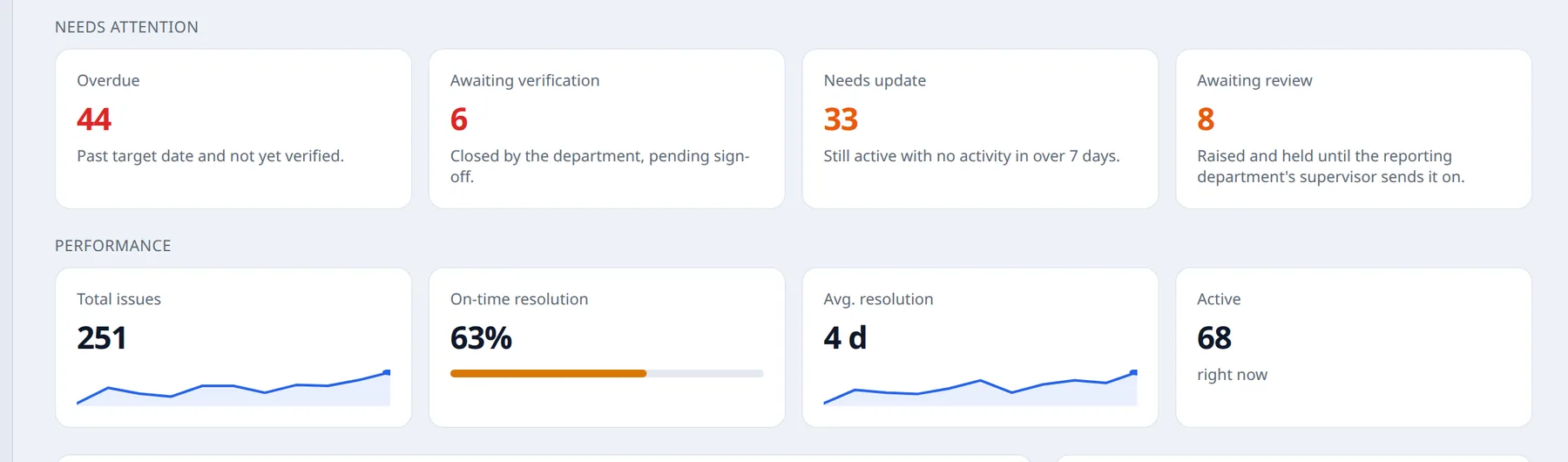
Overdue, awaiting verification, gone quiet, held for review: what needs attention is the first row of the screen, ahead of any chart. It filters to any date range and, for anyone who oversees more than one department, by department.
Below it, the monthly questions: trends, workload by department, top root causes. Every chart has a table view for the numbers behind it.
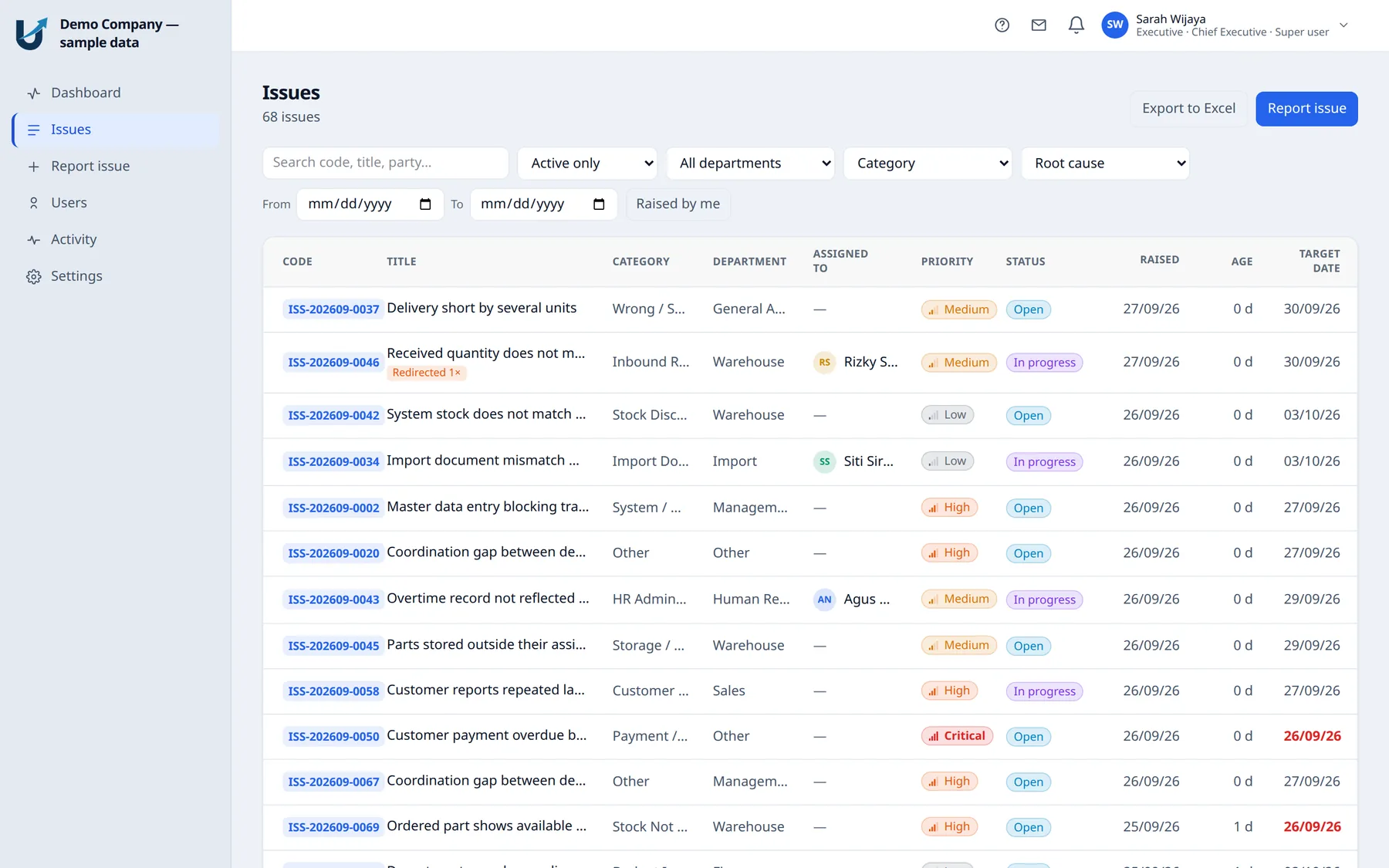
Filter by status, department, category, root cause and date. A late target date is red; a redirected issue says how many times; priority and status sort in severity and lifecycle order, not alphabetically.
An employee sees only what is theirs, enforced on the server rather than hidden in the screen. Export to Excel, including the parts and SKUs on a second sheet.
Comments and internal notes, photographs taken on a phone at the moment it happened, parts and SKUs in your own vocabulary, sub-issues to other departments, and an activity trail that shows who did what, when, exportable with the issue.
Nothing closes without a resolution and a root cause. And there is one more field a generic tracker never asks for: how do we stop this happening again? Pick any period, and the dashboard ranks its causes: the difference between knowing how many issues you had and knowing which four things caused most of them.
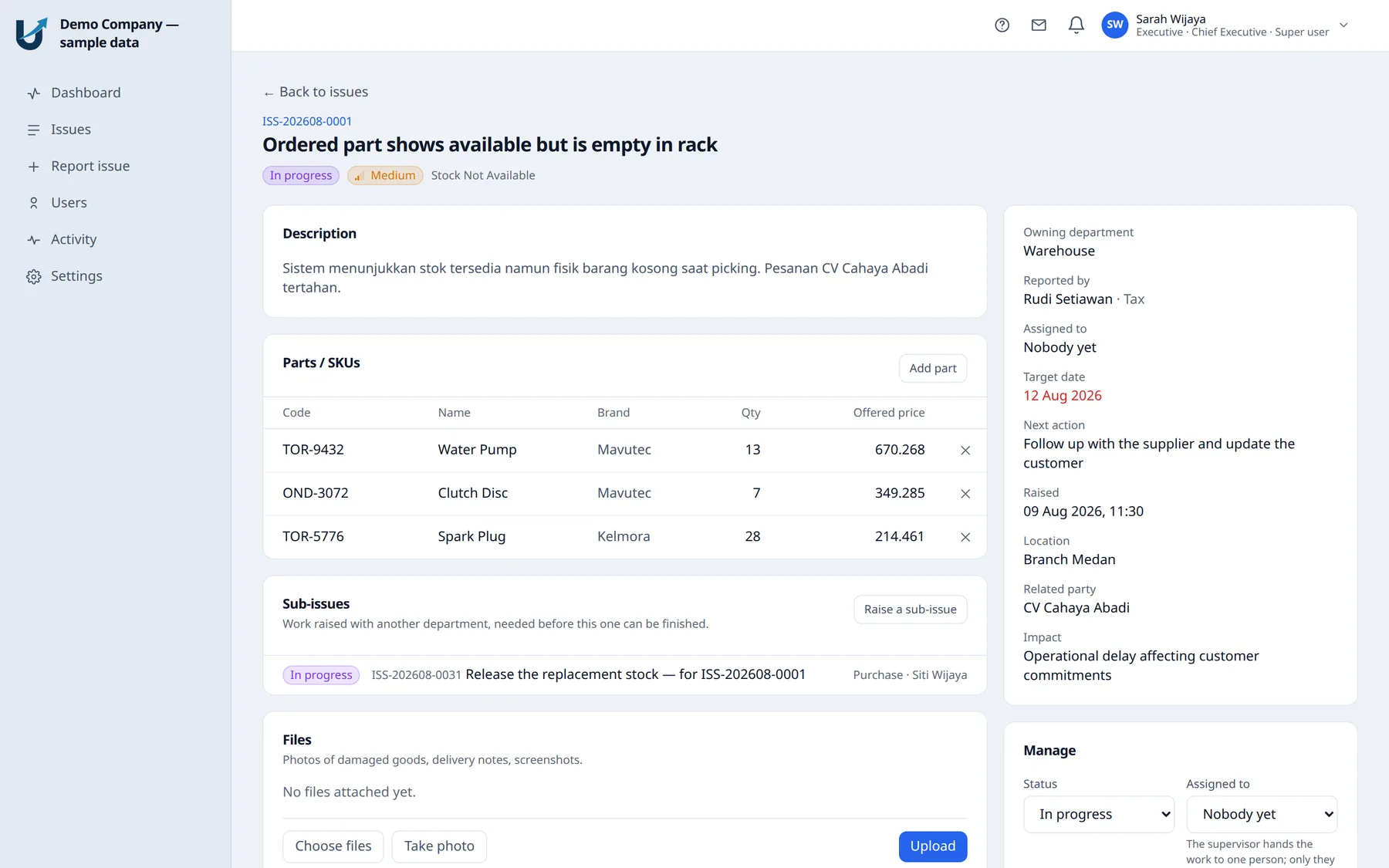
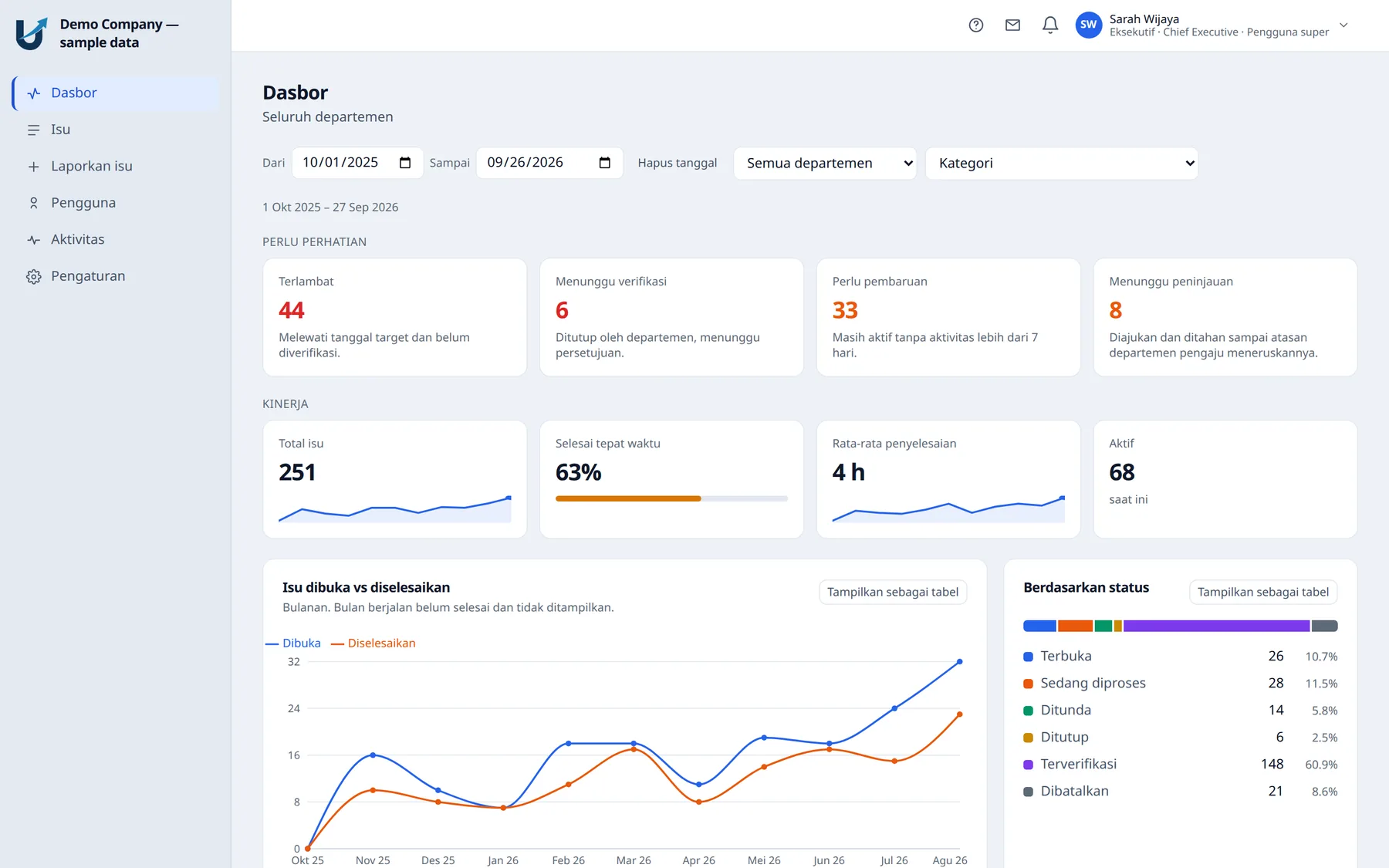
Not a translated menu over an English product: the interface, the emails, the built-in manual and your own department and category names are all bilingual. Language follows the person, not the company: the warehouse can read Bahasa Indonesia while management reads English, in the same system, on the same data.
Internal Issues Portal ships in English and Bahasa Indonesia today. Further languages are added as clients need them.
Departments, categories, root causes and response targets are rows an administrator edits, in both languages. No developer, no waiting for a release.
Add a person in a minute, or a hundred from your Excel list, with a preview that names any bad row before saving. Roles are held per department, on one account.
A guide written for whoever is signed in: employees see their sections, administrators the lot. It grows when somebody is promoted. No stale PDF.
Every administrative change is recorded, with a date. Nothing on that screen can edit or delete an entry. That is the point of it.
The whole portal works on a phone, camera included: the damaged carton is photographed onto the issue before the driver leaves the bay.
Only a change of state sends an email, to as few people as possible. Comments wait in the in-app feed; nobody is notified of their own action.
Attachments live in your company’s own Google Drive or Dropbox, never on our servers. Downloads still pass through the issue’s permissions.
Nightly backups, each verified before an older one is rotated out, with a copy kept off-site. The restore path is exercised, not assumed.
Nobody sets anybody else’s password; each person chooses their own through a single-use link. Google sign-in only admits people an administrator has already added.
Your portal runs at its own address with its own vocabulary and its own data, and the separation is exercised by a dedicated test suite.
A support account inside your portal and an inbox we answer. Everything support does appears in your own administrative trail.
If a subscription lapses, the portal becomes read-only, not locked. Your data stays yours to read and to take.
The Internal Issues Portal is in daily production use at our clients. Every screen on this page is the live product, captured from its demonstration tenant.
Each client gets their own address, their own vocabulary and their own data, on a deployment we host, back up and support. Setup starts from the spreadsheet your staff list is already in.
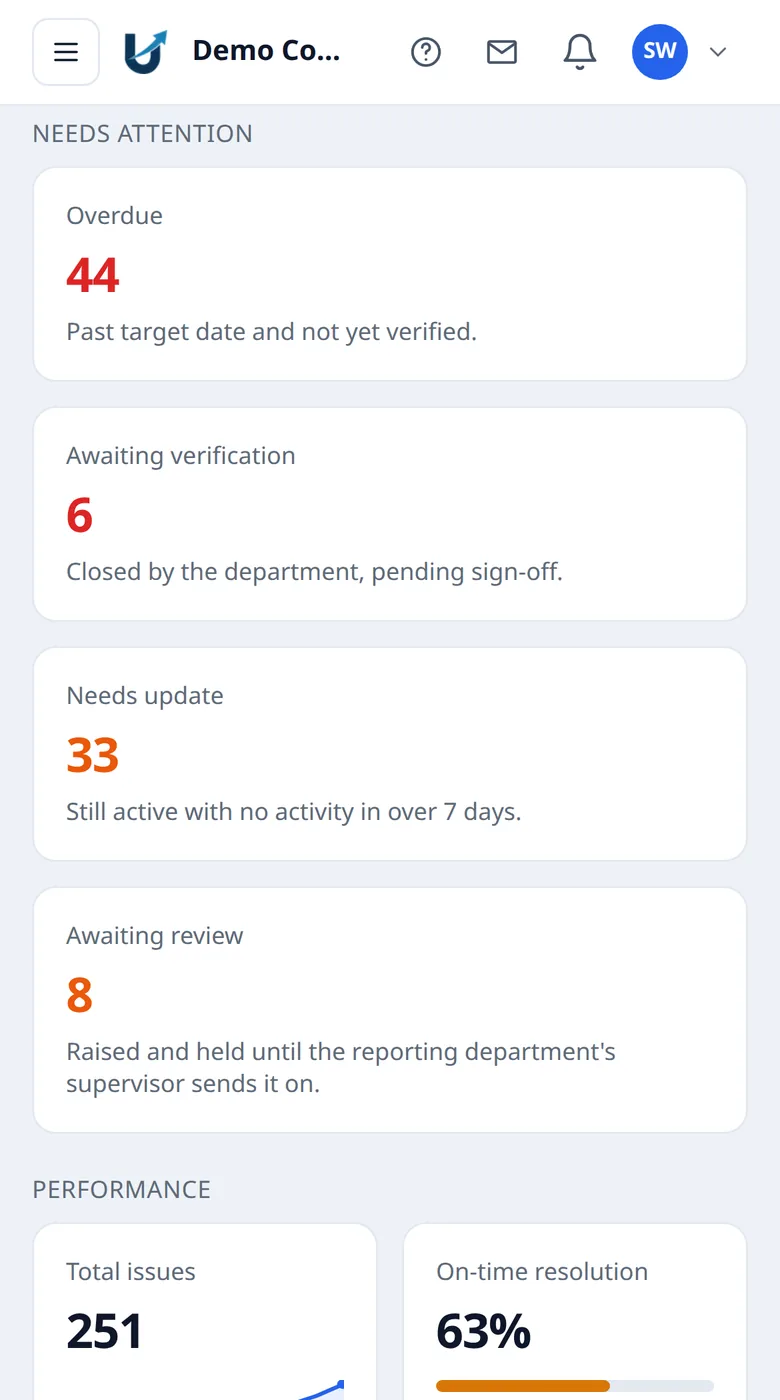
The same portal, on the phone where the work happens.
The free trial runs for three days, on your own issues rather than ours. Whatever you decide at the end, the data is yours.
Curious about the engagement itself? “How we work” describes our process on every project, from first conversation to handover.